Buying Missouri Permits Online
Hunting in Missouri can be an incredibly rewarding experience, but let's be honest, navigating the permit system can sometimes feel like trying to track a mature buck through a briar patch – confusing and a little frustrating. Between remembering what permits you need, finding a vendor, and making sure you're getting the right ones for your specific hunting plans, it's easy to feel overwhelmed. Thankfully, the Missouri Department of Conservation has made things a whole lot simpler by offering an intuitive online system for purchasing your permits, taking a lot of the guesswork and hassle out of the equation. This guide will walk you through everything you need to know to buy your Missouri hunting permits with ease from the comfort of your home.
Why Buying Your Missouri Permits Online is a Game Changer
Gone are the days when you had to remember to stop at a bait shop or a specific sporting goods store during their limited hours, hoping they weren't out of the exact permit you needed. The digital age has truly transformed how hunters can manage their licenses and tags, and Missouri is right at the forefront of that convenience. For anyone who's ever found themselves scrambling last minute, or even just prefers to plan ahead without extra errands, buying online is a breath of fresh air.
Convenience at Your Fingertips
The sheer convenience of purchasing your Missouri hunting permits online cannot be overstated. Imagine it: you're sitting on your couch, researching your next deer season strategy for Hunting North Missouri's Big-Buck Farm Country, and suddenly remember you haven't bought your archery tag yet. No problem! With the online system, you can pull up the Missouri Department of Conservation (MDC) website on your computer, tablet, or even your phone, and have that permit in hand (digitally speaking) within minutes. This 24/7 access means you're never beholden to store hours or geographical limitations. Whether you're a busy parent trying to fit hunting around school runs and work, or a nonresident hunter planning a trip to the Show-Me State, the ability to purchase permits anytime, anywhere is an absolute game-changer. It means more time for scouting, practicing, and strategizing, and less time running errands.
Avoiding Common Pitfalls and Store Runs
Let's face it, we've all been there. You drive 20 minutes out of your way to a small-town tackle shop, only to find they're closed, or worse, their system is down, or they don't stock the specific "Missouri Early Antlerless Portion Tactics" permit you need for your chosen county. These frustrating scenarios are completely eliminated when you buy online. There's no risk of a vendor running out of stock, no unexpected closures, and no dealing with potentially inexperienced staff who might accidentally sell you the wrong permit type. Online, the system guides you, ensuring you're seeing the correct options for your residency and the game you intend to pursue. This is particularly vital when dealing with county-specific regulations, like those sometimes associated with antlerless deer permits. You can carefully review your choices before committing, minimizing errors that could otherwise lead to disappointment in the field.
Instant Access and Digital Storage
One of the most appealing aspects of buying your Missouri permits online is the instant access you gain. As soon as your purchase is complete, your permits are typically available to view, download, and even print immediately. This means no waiting for mail, no lost physical tags, and the peace of mind knowing you're legal to hunt without delay. Beyond immediate access, these permits are also linked directly to your MDC account. This digital record is invaluable. Should you ever lose a printed copy or forget it at home, a quick check on your smartphone via the What the MO Hunting App Does can pull up your valid permit information. This seamless integration with digital tools not only simplifies the carrying of permits but also streamlines other essential hunting tasks, like telechecking your harvest, which we'll delve into a bit later. It really makes managing your hunting life so much smoother.
Navigating the Missouri Department of Conservation (MDC) Online System
The MDC has worked hard to make their online permit system user-friendly, whether you're a seasoned hunter or brand new to the sport. It's designed to guide you through the process, but having a clear roadmap before you start can make it even smoother. Think of it like scouting a new piece of public land – knowing the terrain before you go in makes all the difference.
Step-by-Step Guide to Purchasing Permits
Getting your permits through the MDC website is a straightforward process, typically taking just a few minutes once you've created an account. Here’s how it usually goes:
- Head to the MDC Website: Start by navigating to the official Missouri Department of Conservation website. You'll typically find a prominent link for "Buy Permits" or "Permits & Regulations" right on the homepage or in the main navigation menu.
- Login or Create an Account: If you’re a returning user, simply log in with your existing credentials. If this is your first time, you'll need to create a new account. This usually involves providing some personal information like your name, address, date of birth, and possibly your social security number or driver's license number (which is standard for hunting and fishing licenses across the country). It's crucial that all information is accurate to ensure your permits are valid.
- Select Permit Type: Once logged in, you'll be presented with a variety of permit options. This is where you choose what you need. Are you after a "Missouri Resident Firearms Deer Permit Cost" for the November portion? Or maybe a "Missouri Archery Deer Permits and Tags" for the long bowhunting season? Perhaps a "Missouri Resident Spring Turkey Permit Cost" for those early morning gobblers. The system will categorize them clearly, usually by game type (Deer, Turkey, Small Game, Fishing, etc.) and then by residency and season.
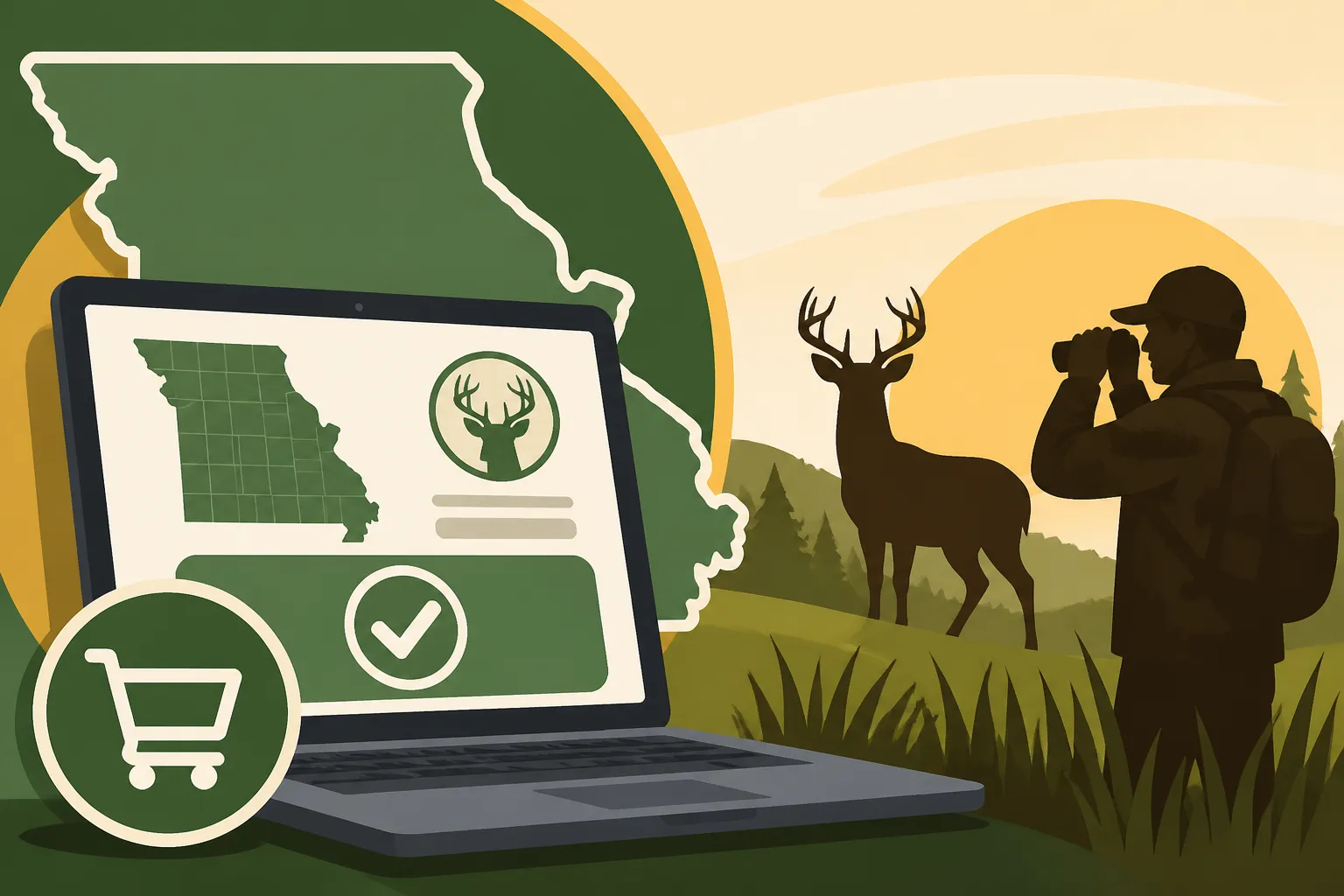
- Add to Cart and Review: As you select your desired permits, they will be added to a virtual shopping cart, much like any online retailer. Take your time here. This is your chance to review everything: the specific permit names, the season dates (like those for When Missouri's Archery Season Opens), and the cost. Make sure you haven't accidentally selected a non-resident permit if you're a resident, or vice-versa.
- Checkout Process: Once you're certain you have everything you need, proceed to checkout. You'll enter your payment information (credit or debit card) on a secure page. The MDC system, like reputable third-party hunting apps such as GoHunt, employs strong encryption to protect your financial details.
- Confirmation and Access: After a successful transaction, you'll receive a confirmation email. More importantly, your permits will immediately appear in your online account. You can then download them as a PDF, print them, or view them directly within the MO Hunting app. For more comprehensive details on general permit acquisition, you might find our guide on Missouri Deer Permits and How to Buy One particularly useful.
Understanding Permit Types and Costs
Missouri offers a variety of permits tailored to different game species, hunting methods, and residency statuses. Understanding these distinctions is key to purchasing the correct tags.
- Deer Permits: These are perhaps the most varied. You'll find permits for archery deer season, firearms deer season (including the popular Missouri's Eleven-Day November Firearms Deer Season), and specialized antlerless-only permits. There are separate permits for residents and non-residents, and even youth permits at reduced prices. Pay close attention to county regulations, as some antlerless permits might only be valid in specific areas. For non-residents, the "Missouri Nonresident Firearms Deer Permit Cost" will be higher than the resident equivalent. If you're planning for spring turkey, be sure to check out Missouri Spring Turkey Permits and Limits for detailed information.
- Turkey Permits: Missouri offers both spring and fall turkey permits. Spring permits typically focus on bearded birds, while fall permits may allow either sex depending on the season and method. Again, resident and non-resident costs apply.
- Small Game Permits: If you're planning to pursue species like rabbits, squirrels, or quail, you'll generally need a small game permit. This often covers a broad range of species and has a more uniform cost, such as the "Missouri Resident Small Game Permit Cost".
- Combination Permits: For those who enjoy both hunting and fishing, a combination permit can often save you money and simplify your permit portfolio.
- Specialty Permits: You'll also encounter permits for things like trapping, furbearers, and applying for managed hunts or special lotteries, such as the "Missouri Elk Permit Lottery Rules."
It's always a good idea to consult the MDC's official regulations or their website's permit section for the most current pricing and specific rules for each permit, including any changes for the upcoming "Missouri Permit Year Dates." This ensures you're always operating within the legal framework.
Managing Your Account and Past Purchases
Your MDC online account isn't just a one-time portal for buying permits; it's a hub for all your hunting and fishing related transactions and records. After your initial purchase, you can log back into your account at any time to:
- View Purchase History: See a detailed list of all permits you've bought over the years. This can be incredibly helpful for tracking your hunting activities or simply for reference.
- Reprint Permits: If you need another physical copy of a permit, you can easily access and print it again. This is particularly useful if you prefer a paper backup in addition to your digital copy.
- Update Personal Information: If your address, phone number, or other contact details change, you can update them directly within your account, ensuring all your records are current. Accurate information is crucial for compliance with rules like the Telecheck Requirements After a Harvest.
- Access Telecheck Records: Any successful harvests you've telechecked will be linked to your account, providing a personal record of your hunting success. This centralized system simplifies compliance and record-keeping, making your hunting life much more organized.
Essential Tips for a Smooth Online Permit Purchase
Even with a user-friendly system, a few proactive steps can ensure your online permit purchase is completely hassle-free. After all, you want to be thinking about where to set up your next treestand for Hunting Missouri Ridge Saddles and Benches, not whether your permit went through correctly!
Double-Checking Before You Click "Buy"
This might seem obvious, but it's the most critical step. Once you've added your permits to your cart, take a moment – a long moment – to meticulously review every detail before you finalize the purchase.
- Your Personal Information: Is your name spelled correctly? Is your address up to date? Is your date of birth accurate? Even a small typo could cause issues down the line, especially if you need to prove your identity to a conservation agent.
- Permit Type and Quantity: Did you select the correct permit for the game you're hunting? For example, did you grab a firearms antlerless permit when you actually needed an archery antlerless tag? For deer hunters, are you sure you're buying for the correct season portion (e.g., Missouri's November Firearms Portion vs. Missouri's Early and Late Antlerless Portions)? If you're planning to fill a second deer tag, ensure you've selected the correct permit type that allows for multiple harvests, always being mindful of the overall limits on "How Many Deer You Can Take in Missouri."
- County Restrictions (Especially for Antlerless): This is where many hunters trip up. Some antlerless permits are only valid in specific counties or zones. The MDC system is usually good about guiding you, but it’s your responsibility to confirm. A quick check of the MDC regulations or the online map of "Which Counties Allow Extra Antlerless Tags" can save you a significant headache. Imagine successfully harvesting a deer only to realize your permit isn't valid for that location – it's a gut-wrenching scenario you definitely want to avoid. While other platforms like GoHunt provide excellent maps and information, the final purchase and county selection will always happen directly through the MDC portal, so pay close attention there.
Payment Methods and Security
The MDC online permit system accepts major credit and debit cards, including Visa, MasterCard, Discover, and American Express. The payment process is secured with industry-standard encryption, meaning your financial information is protected during the transaction. You'll typically see a lock icon in your browser's address bar, indicating a secure connection. Rest assured that the MDC takes the security of your personal and payment information seriously. While it's always wise to use a trusted computer or network for online transactions, the MDC platform itself is built with robust security measures to safeguard your data.
Troubleshooting Common Issues
Even with the best systems, technology can occasionally throw a curveball. Here are a few common issues and how to troubleshoot them:
- Payment Failure: If your payment doesn't go through, first double-check that you've entered your card number, expiration date, and security code correctly. Ensure your billing address matches the one on file with your bank. Sometimes, banks flag online transactions as potentially fraudulent if they're unusual, so a quick call to your bank might resolve the issue.
- Website Glitches: If the website seems to be acting up, try clearing your browser's cache and cookies, or try using a different web browser (e.g., switch from Chrome to Firefox or Edge). Sometimes, a simple refresh of the page or restarting your browser can fix minor display or functionality issues.
- Permit Not Showing Up: After a successful purchase, if you don't immediately see your permit in your account or receive a confirmation email, give it a few minutes. Sometimes there's a slight delay. If it still hasn't appeared after a reasonable time, check your spam or junk folder for the confirmation email. If all else fails, contact MDC customer service. They have a dedicated support team that can verify your purchase and help you access your permits. Keep a screenshot of your payment confirmation if you have one.
Integrating Your Online Permits with the MO Hunting App
The MO Hunting app is more than just a digital replica of your permits; it's a powerful tool designed to enhance your hunting experience in Missouri. It works hand-in-hand with the online purchasing system, creating a truly seamless way to manage your hunting life from your pocket.
The Power of the MO Hunting App
If you're not using the What the MO Hunting App Does, you're missing out on some serious convenience. This free app, available for both iOS and Android devices, allows you to:
- Store Digital Permits: Any permit you purchase online through the MDC website will automatically sync with your MO Hunting app, provided you log in with the same account. This means your valid permits are always with you, even if you forget the paper copies at home. It’s an invaluable feature, especially when you're deep in the timber.
- Telecheck Your Harvest: The app offers a quick and easy way to telecheck your deer, turkey, or even your Missouri Fall Turkey Hunting Tactics harvest directly from the field. No need to find a phone signal to call or rush to a computer.
- Access Regulations: Have a quick question about bag limits or legal shooting hours? The app provides easy access to Missouri's current hunting and fishing regulations, ensuring you're always informed.
- Harvest History: Keep a personal record of all your telechecked game, creating a convenient log of your hunting success over the years.
- And More: The app also includes features like CWD sampling station locations, sunrise/sunset times, and even a map viewer.
Essentially, the MO Hunting app streamlines your responsibilities as a hunter, letting you focus more on the hunt itself and less on administrative tasks.
Telechecking Your Harvest Digitally
One of the most praised features of the MO Hunting app is its integrated telecheck system. Traditionally, after harvesting a deer or turkey, you'd have to call a phone number or log onto the MDC website to register your animal. While those options are still available, the app makes it incredibly simple.
Here’s a general idea of how it works:
- Tag Your Animal: Once you've harvested your game, physically tag it immediately as required by Missouri regulations. This usually involves notching your permit and attaching it to the animal.
- Open the App: Open the MO Hunting app on your smartphone.
- Initiate Telecheck: Select the "Telecheck" option within the app.
- Enter Details: The app will guide you through entering the necessary information, such as the permit number, the species harvested (deer, turkey), the sex of the animal, the county of harvest, and perhaps the number of antler points for deer. This aligns perfectly with the information needed for Telechecking a Missouri Deer or Missouri Turkey Telecheck Rules.
- Receive Confirmation: After submitting, you'll receive a confirmation number. This is your official telecheck number, which you must write on your permit. Keep this number safe, as it's proof of legal harvest and can be checked by conservation agents.
The convenience of telechecking from your stand or blind, even with limited cell service (as the app can often cache information and send it later), is a huge advantage. It eliminates the need to cut your hunt short or make an extra trip to fulfill this critical requirement.
Going Paperless: Advantages and Considerations
The ability to carry your permits digitally on your phone through the MO Hunting app presents a significant move towards paperless hunting.
Advantages:
- Reduced Clutter: No more fumbling with multiple paper permits, trying to keep them dry and legible.
- Always with You: Most hunters carry their phones everywhere. As long as your phone is charged, your permits are with you.
- Waterproof: Unlike paper, your digital permits won't get soaked and ruined in an unexpected Ozark downpour.
- Easy Access: Quickly display your permits to a conservation agent with a few taps on your screen.
Considerations:
- Battery Life: This is the biggest drawback. A dead phone battery means no access to your digital permits, and potentially no ability to telecheck. Always carry a portable power bank, especially for longer hunts or cold weather.
- Signal Issues: While the app can sometimes work offline, submitting a telecheck or accessing new permits might require a cellular signal. Reading an Ozark Hollow for Deer Movement often puts you in areas with no reception.
- Physical Tags Still Required: Remember, while the permit can be digital, Missouri regulations still require you to physically tag your harvested animal with the notched portion of the permit. So, even with digital convenience, you'll still need to print and carry those physical tags for tagging purposes in the field. This is important to remember, even if you're taking Missouri Hunter Education and Orange Rules courses.
Ultimately, using the MO Hunting app in conjunction with your online purchases offers the best of both worlds: incredible convenience for managing your permits and telechecks, with the option to print physical tags for the field as required. It's a system designed with the modern hunter in mind.
| Permit Type | Online (MDC Website) | MO Hunting App | In-Person Vendor | Notes |
|---|---|---|---|---|
| Deer (Firearms) | Purchase, View, Print | View, Telecheck | Purchase | Resident & Non-Resident, various portions. |
| Deer (Archery) | Purchase, View, Print | View, Telecheck | Purchase | Covers full archery season, often split. |
| Turkey (Spring) | Purchase, View, Print | View, Telecheck | Purchase | Bearded birds only, specific dates. |
| Turkey (Fall) | Purchase, View, Print | View, Telecheck | Purchase | Any sex, usually with smaller bag limits. |
| Small Game | Purchase, View, Print | View | Purchase | Covers rabbit, squirrel, quail, etc. |
| Combo Hunting/Fishing | Purchase, View, Print | View | Purchase | Convenient for multi-sport enthusiasts. |
| Elk Lottery Application | Apply, View | View Application | No | Application for "Missouri Elk Permit Lottery Rules." |
| Managed Deer Hunt App. | Apply, View | View Application | No | Applications for specialized hunts. |
Disclaimer
This guide is intended for informational purposes only and does not supersede official regulations. Always consult the current Missouri Department of Conservation (MDC) hunting regulations and permit details before heading afield. Laws and regulations are subject to change.